Hirdetés
- Félő, hogy az okosszemüveg a szexuális zaklatók játékszere lesz
- Yettel topik
- Samsung Galaxy Watch (Tizen és Wear OS) ingyenes számlapok, kupon kódok
- Milyen okostelefont vegyek?
- Motorola Edge 30 Ultra - a 200 megapixeles kérdés
- Xiaomi 14T - nem baj, hogy nem Pro
- Poco X8 Pro Max - nem kell ide sem bank, sem akkubank
- Samsung Galaxy S23 és S23+ - ami belül van, az számít igazán
- Fotók, videók mobillal
- Honor Magic5 Pro - kamerák bűvöletében
Új hozzászólás Aktív témák
-

kopidoo
senior tag
válasz
 InterFox
#6466
üzenetére
InterFox
#6466
üzenetére
User manual 19. oldal / 2.5 pont:
Step 1. Please keep the default UEFI setting of “Dual Graphics“ option on [Auto].
Step 2. Install one AMD RADEON PCI Express graphics card to PCIE1 slot.
Step 3. Connect the monitor cable to the onboard VGA port. Please be noted that
the current VGA driver / VBIOS can allow Dual Graphics output from onboard
display only. For any future update, please refer to our website for
further information.
Step 4. Boot into OS. Please remove the AMD driver if you have any VGA driver
installed in your system.
Step 5. Install the onboard VGA driver from our support CD to your system for
both the onboard VGA and the discrete graphics card. (ide mehet a legújabb driver az AMD oldaláról)
Step 6. Restart your computer. Right-click the desktop. Click “AMD VISION
Engine Control Center” to enter AMD VISION Engine Control Center.
Step 7. You can also click “AMD VISION Engine Control Center” on your
Windows® taskbar to enter AMD VISION Engine Control Center.
Step 8. In AMD VISION Engine Control Center, please choose “Performance”.
Click “AMD CrossFireTM”.
Step 9. Click “Enable CrossFireTM” and click “Apply“ to save your change.
Step 10. Reboot your system. Then you can freely enjoy the benefit of Dual
Graphics feature.[


Új hozzászólás Aktív témák
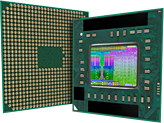
AMD "Trinity" APU topik
- FM2 tokozás
- Négy vagy két mag
- Integrált DX11 Radeon GPU
- Integrált PCIe 2.0 vezérlő
- DDR3-1866 RAM támogatás
- Szorzózármentes "K" modellek
* Trinity (Piledriver & VLIW4):
A10-58xx/57xx, A8-56xx/55xx, A6-54xx, A4-53xx

- Intel Core I9 14900KS - 24mag/32szál - Eladó!
- Intel Core i7-7700K 4.2GHz (8M Cache, up to 4.50 GHz) LGA1151 Processzor
- Intel Core I7 13700KF - 16mag/24szál - Új, bontatlan - Gari 2028.01.26. -ig - Eladó!
- BESZÁMÍTÁS! Intel Core i9 11900K 8 mag 16 szál processzor garanciával hibátlan működéssel
- BESZÁMÍTÁS! Intel Core i9 14900K 24 mag 32 szál processzor garanciával hibátlan működéssel
- Telefon felvásárlás!! Samsung Galaxy S23/Samsung Galaxy S23+/Samsung Galaxy S23 Ultra
- GYÖNYÖRŰ iPhone 14 Pro 128GB Space Black -1 ÉV GARANCIA - Kártyafüggetlen, MS4619, 100% Akksi
- Keresünk Galaxy S22/S22+/S22 Ultra
- HP EliteBook 745 G6 14" Ryzen 5 pro 3500U, 16GB RAM, 128GB SSD, jó akku, számla, 6 hó gar
- Samsung Enterprise PM893 1,92TB/ SATA 2,5" SSD- 6db/ számla-garancia
Állásajánlatok

Cég: Laptopműhely Bt.
Város: Budapest